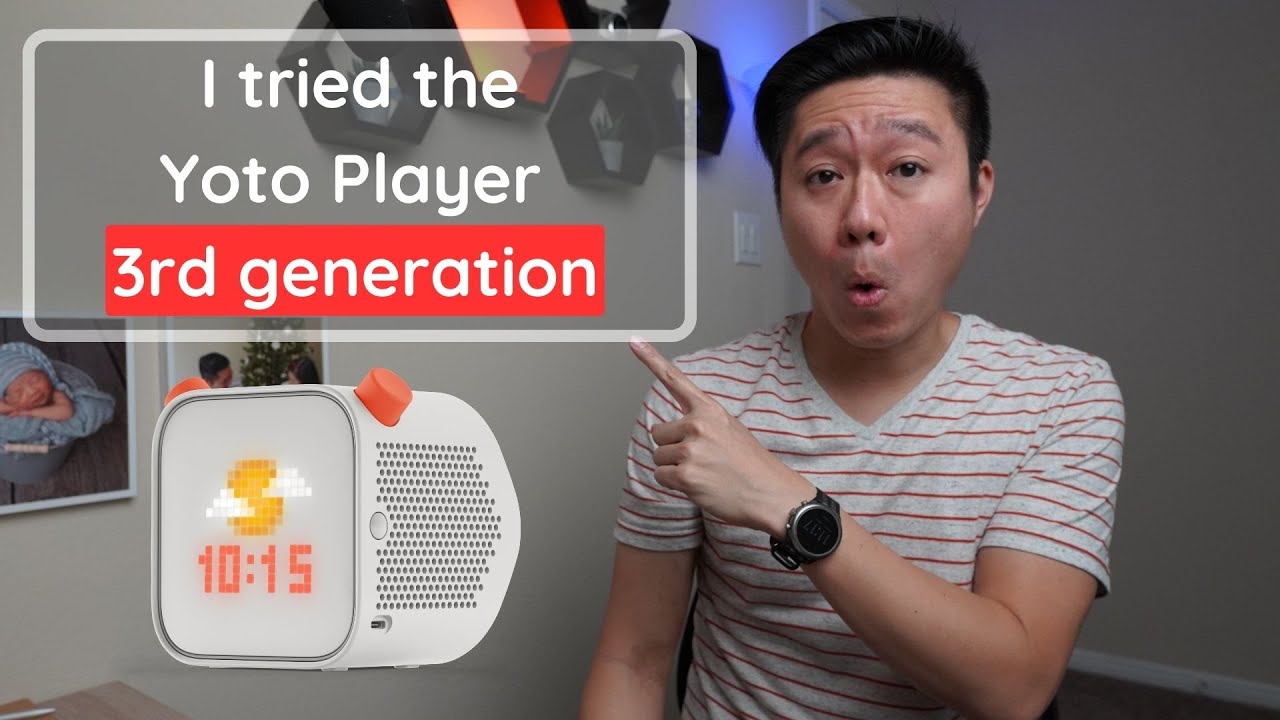
Yoto Player Gen 3 Review: Is It Worth Upgrading?
The Yoto Player third generation arrived with significant hardware upgrades—most notably switching to USB-C charging, boosting battery life, and adding Bluetooth capability. Overall, after using it for a month, the device feels like a solid upgrade from previous models, especially regarding charging convenience and longevity. However, this improvement comes with an increased price tag that might make upgrading unnecessary if you already own a recent model.
What’s in the Box? (Unboxing & Setup)
The unboxing confirmed the core unit, along with necessary accessories like instructions and what appears to be a Yoto Make Your Own Cards component. The most notable physical change is the charging port: it now uses USB-C, which was a significant improvement over older proprietary docking systems.
- Setup Requirement: To get started, users are required to download and use the Yoto app for initial setup online.
- Physical Design: The unit remains compact, which is appreciated as it doesn’t waste space with overly large packaging.
How Does the Yoto Player Actually Work Day-to-Day?
The Yoto Player is designed as an audio player specifically for children, with a recommended age range of 3 to 12 year olds and up. While the basic function of swapping content via cards is easy for all ages, mastering the controls requires getting used to the unique button behaviors.
Understanding the Controls
The device has three main physical buttons (Power, Left Knob, Right Knob), but their functions change depending on whether a card is inserted:
- Power Button: Holding this down for 3 seconds powers the unit on or off. For younger users, learning this specific action can be tricky.
- Left Orange Knob: When no card is inserted, turning this adjusts volume. When a card is inserted, pressing it skips to the previous track or chapter.
- Right Orange Knob: This knob’s function varies widely:
- No Card Inserted: Turning increases/decreases the nightlight brightness. A single press starts Yoto Daily (free podcast), and a second press plays Yoto Radio (free children’s music). Note: Both require internet access.
- Card Inserted: Adjusting this knob skips to the next track.
Screen Use and Visual Feedback
Although it is marketed as a screen-free player, the third generation includes a screen limited to showing pixel art or a clock. This visual element was noted as an improvement over previous versions.
What Are the Biggest Upgrades Over Older Models?
The most impactful changes focus on usability, longevity, and connectivity.
Charging & Portability Improvements
This is where the Yoto Player truly shines compared to its predecessors:
- USB-C Fast Charging: The shift to a standard USB-C fast charging port is massive for convenience, eliminating proprietary docks that could cause issues if lost or broken.
- Wireless Charging: It supports the Qi wireless charging standard, which provides an alternative (though generally slower) method of powering the player.
- Battery Life: The advertised battery life is up to 24 hours of actual music listening on a single charge, which feels like it lasts for significantly longer in daily use.
Connectivity and Features
New features enhance how the player integrates into modern households:
- Bluetooth Support: This was not available on previous models. It allows pairing with Bluetooth headsets (like the Yoto wireless headphones, which feature built-in child volume limits) or connecting the device itself as a Bluetooth speaker to stream music from your phone.
- Enhanced Sleep Features: The unit now includes a built-in thermometer (visible in the app, with potential for future alerts), and improvements to the nightlight diffusion mean it is less harsh while retaining its seven color options.
- Storage Capacity: The storage was increased to 32 GB, double the capacity of the second generation, allowing for more offline downloads.
Does This Mean I Need to Upgrade My Old Yoto Player?
The primary drawback noted during the review is the price increase: the new model costs $119.99, up from $99.99 for the second generation.
- For New Buyers: If you are starting fresh and need a modern player, the third generation’s improvements—especially the USB-C port and battery life—make it a strong contender.
- For Existing Owners (Second Gen): The decision is less clear cut. While all the new features (USB-C, wireless charging) sound nice, the speaker suggests that an existing second-generation player might not be considered obsolete enough to warrant spending money on an upgrade.
The Final Verdict
The Yoto Player third generation offers significant functional upgrades—particularly the move to USB-C, expanded battery life, and Bluetooth connectivity—that improve its modern usability significantly. However, if you already own a second-generation player, the $20 price jump might not justify the switch unless the specific new features (like wireless charging or 32GB storage) are critical to your family’s routine.
Disclaimer: Some of the links below are affiliate links, meaning I may earn a small commission at no extra cost to you if you decide to purchase.
Where to buy

As an Amazon Associate I earn from qualifying purchases. Some links on this page are affiliate links — I may earn a small commission at no extra cost to you. Prices shown are accurate as of 2026-10-05 and may change.