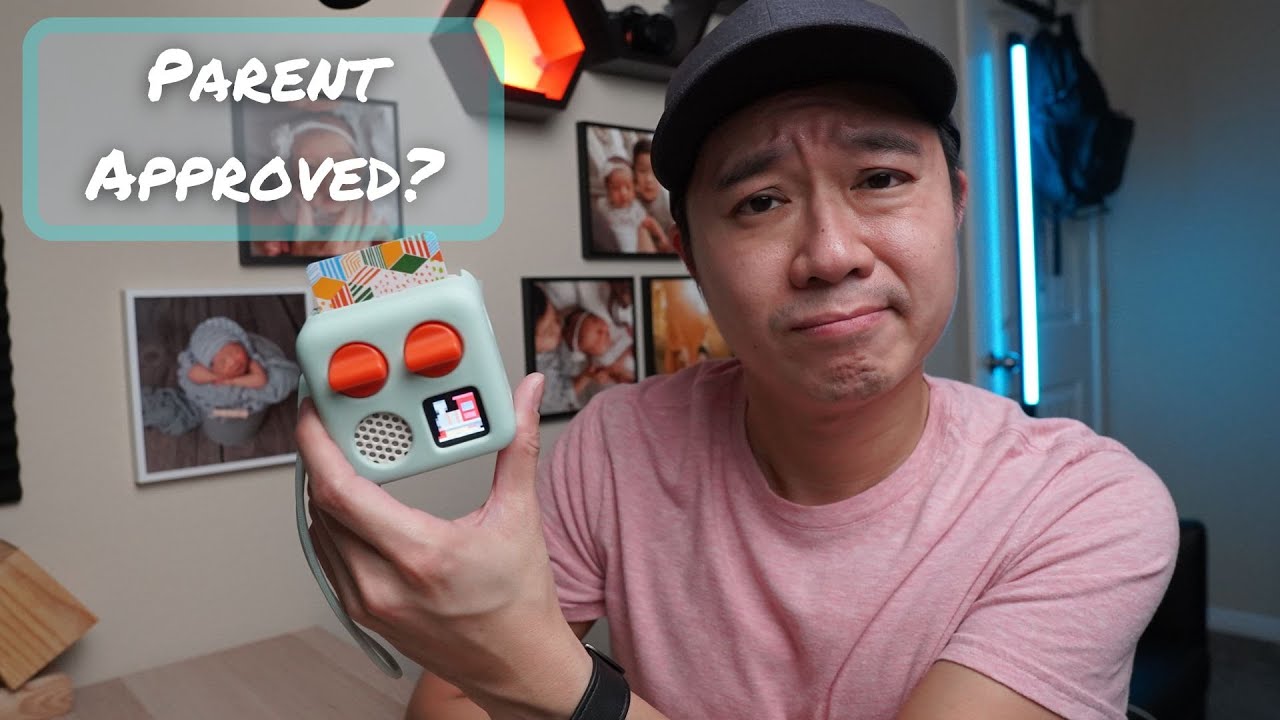
Yoto Mini Review: Is This Portable Audio Player Worth It?
The Yoto Player is designed as a portable, screen-free audio alternative to digital devices, allowing children to listen to music and audiobooks via physical cards. In our experience, it offers excellent portability and functionality, but understanding the setup nuances and usage limitations is key before deciding if it fits your family routine.
What’s Great About the Yoto Mini Player?
The primary selling point for many parents seems to be its size. The Yoto Mini player is described as small and light, making it easy enough for even toddlers to handle independently.
- Portability: It’s compact, which contributes to its appeal over larger alternatives like the Toniebox.
- Card Security: The cards are very secure; if the player gets knocked over, it will keep playing the audio.
- Audio Output Options: You can use the built-in speakers, which have decent volume for a home setting, or plug into a 3.5 millimeter audio port. For crowded areas like restaurants, using a headset is suggested.
How Does the Yoto Mini Get Set Up and Used?
The basic concept involves inserting Yoto Cards into the player to play content. While both our three-year-old and one-year-old understood the process after just one demonstration:
- Powering On: The device does not turn on automatically; you must press the gray button on the side.
- Playback Tip: It is best to let the device completely turn on (waiting for the smiling face to disappear and the clock to appear) before inserting a card, as audio won’t play immediately otherwise.
- Controls: The controls are intuitive once understood:
- Left Knob: Controls volume when a card is inserted.
- Right Knob: Navigates backward or forward through the track list; pressing it again plays the selected track, and pressing it without changing selections skips to the next track.
- Gray Button (Side): Used for power on/off, and also functions as a play/pause button.
What About Volume Control and Advanced Features?
For parents concerned about loud audio, there are options available:
- Volume Limiting: You can set a maximum volume limit within the app, or purchase headsets that have built-in volume limitations.
- Advanced Functions: The right knob can be used to activate Yoto Daily Podcast (single press) or Yoto Radio (two presses). Accessing these features requires an internet connection and does not require extra cost or subscription for adults.
How Easy Is It For Young Kids to Operate?
While the concept is simple, actual usage by very young children can present challenges:
- Motor Skills: Our one-year-old daughter could not change cards herself. Even our three-year-old son struggled initially with the force required to pull out and change the cards.
- Button Overload: The controls are quite complex for toddlers; even a three-year-old sometimes presses buttons randomly, causing songs to skip or rewind. Our five-year-old niece seemed to handle it without issue.
- Screen Use: While there is a small screen, its function is limited to displaying pixel art of the track number and a clock—it is not used for entertainment like video playback.
What About Battery Life and Maintenance?
The Yoto Mini has an advertised battery life of 16 hours. However, this varies significantly based on usage:
- Draining Factors: Internet streaming and screen display time will drain the battery faster. We noted our kids used it for over 10 hours since the last charge, and the battery still showed a decent amount left.
- Charging Port: It uses a USB Type-C charging port, which is convenient as it avoids proprietary cables.
- Durability Concern: The unit is made of plastic, leading to concerns about surviving multiple drops. The company offers a silicone case called the Yoto Player Jacket (3rd Gen) for $19.99.
How Much Does Content Cost? (Cards & Digital Options)
The core content comes from physical cards, which come in various types: stories, music, activity, sound effects, podcasts, and radio.
- Card Pricing: Prices range widely, from $2.99 per card up to $14.99 per card. Lower-priced cards often relate to podcasts or radio stations that require internet access.
- Branded Content: Cards in collaboration with other brands, like Disney, cost slightly more at $12.99 per card.
- Bundles & Digital: Packs are available for discounts. A key option is the use of Yoto Make Your Own Cards, which allows users to upload their own audio files. A pack of five Make Your Own Cards costs $14.99, making them about three dollars per card, which can be a cost-effective way to build custom content.
- Content Limits (Make Your Own): Each Yoto Make Your Own Card can hold a playlist of up to 100 tracks, with a max track length of 60 minutes. The total runtime cannot exceed six hours.
The Final Verdict
For an alternative audio player that stays away from screens, the Yoto Player is generally considered excellent due to its portability and robust feature set compared to many competitors. However, buyers should be aware that usability for very young children (under 4 or 5) may be challenging due to the number of controls. If your child is approaching preschool age, it appears to offer good value, especially when utilizing Yoto Make Your Own Cards to create personalized content streams.
Disclaimer: Some of the links below are affiliate links, meaning I may earn a small commission at no extra cost to you if you decide to purchase.
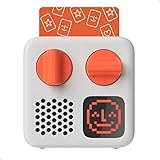
Where to buy

As an Amazon Associate I earn from qualifying purchases. Some links on this page are affiliate links — I may earn a small commission at no extra cost to you. Prices shown are accurate as of 2026-10-05 and may change.