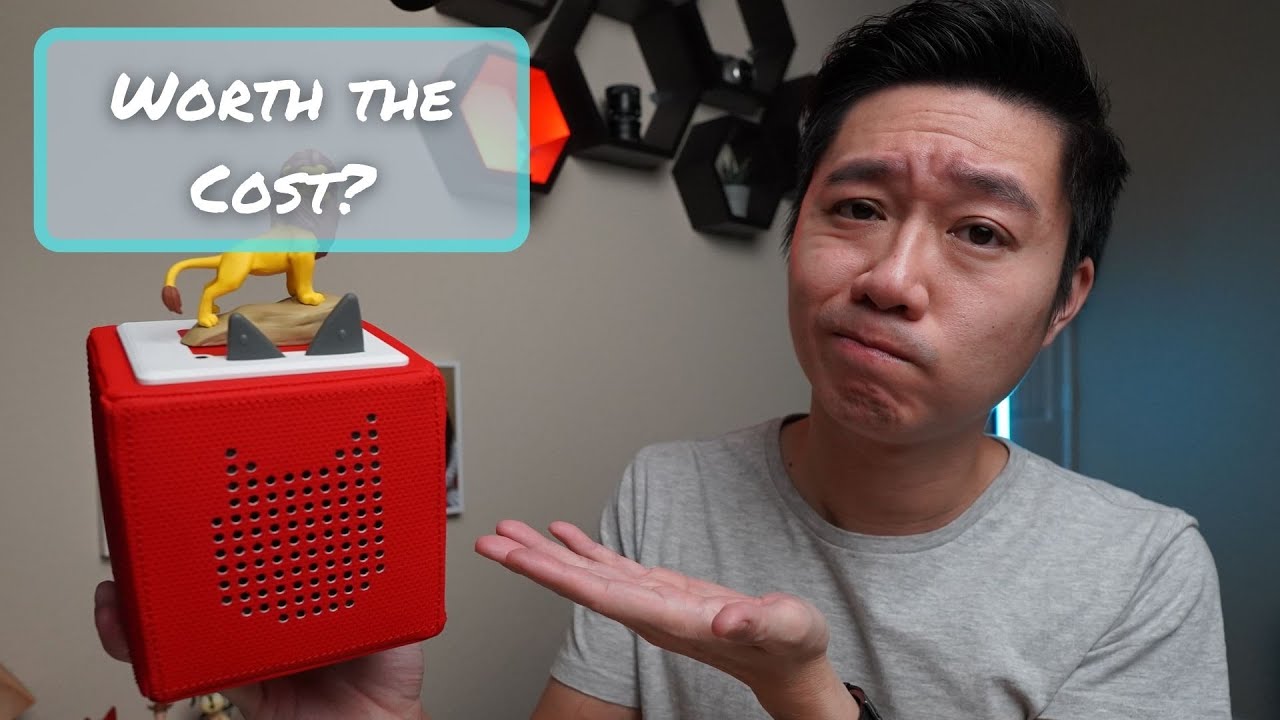
Toniebox Review: Are These Audio Players Worth Buying?
The Toniebox offers a screen-free way for kids to control what they listen to—be it stories or music—and in many ways, it delivers on that core concept. For parents navigating digital distractions, its physical interaction and curated content feel like a thoughtful alternative. However, understanding the setup process and mastering some of its physical quirks is key to making it work well for your child.
Who Is This Toniebox For? (Age & Safety)
The manufacturer recommends the Toniebox for ages three and up due to smaller components found in some individual Tonies. When introducing it, it’s important to gauge your specific child’s behavior. The box itself features soft padding, which provided a degree of confidence regarding durability when dropped. In our experience, the unit was easy enough for small hands to manage without issue.
- Ease of Use: The concept is simple: press one of the two ears on the Toniebox, place a Tony figure on top, and music begins.
- Volume Control: Volume can be adjusted using the two ears—the smaller adjusts down, and the larger increases it. Even at louder settings, the audio was not overwhelming for our testing environment.
- Power Management: It automatically turns off after 10 minutes of inactivity. This is a feature that prevents accidental misuse, as there is no physical “off” button or switch.
How Simple Is The Setup Process?
While operating the unit once it’s running seems intuitive for kids, the initial setup requires some attention to detail if you plan on gifting it. You must set up the unit ahead of time.
- Wi-Fi Requirement: The Toniebox needs Wi-Fi access to download songs associated with each Tony.
- Setup Timeframe: Setting it up can take about 10 to 15 minutes. This involves downloading the app from either the App Store or the Play Store and following the in-app instructions.
- Charging Specs: The included charger suggests a three-hour full charge time, with an expected playback time of seven hours on a full charge. In practice, it seemed to last for extended periods during our testing.
What About Functionality: Skipping Songs or Repeat?
While the core functions are straightforward, some advanced controls require finesse.
- Fast Forward / Rewind: This is done by tilting the Toniebox: tilt left to fast forward, and tilt right to rewind. Continuously tilting allows for continuous movement.
- Skipping/Repeating: The intended method involves tapping the sides of the unit:
- Tap the side facing the speaker: Performs one of several actions depending on context.
- Tapping the left side: Skips forward.
- Tapping the right side: Goes back to the beginning, or if already there, goes to the previous song.
- Operational Note: We found that these taps often required a decent amount of force—almost needing to be “slapped” hard—to register consistently. Holding the unit firmly with an extra hand helped stabilize it during this process.
What’s Better: Regular Tonies or Creative Tonies?
The individual figures, the Tonies, are where the content lives, and they come in two main types.
Standard Content (Regular Tonies)
These figures (like Woody or Lightning McQueen) come preloaded with established songs or stories from various franchises.
- Content Depth: The track list varies widely. We noted some Disney-related ones contained four songs totaling about 30 minutes. Others, like the Playtime Dog, had significantly longer runs of music.
- Variety: They cover everything from licensed characters to specialized educational content (e.g., National Geographic dinosaur sets).
Customizable Content (Creative Tonies)
These are essentially blank units that offer customization—this was what drew us in initially.
- Flexibility: Users can upload their own audio files or entire audiobooks, meaning the content is not permanent.
- Content Capacity: These figures can hold up to 90 minutes of uploaded material.
- Multi-Language Use: We used a specific Creative Tony for Cantonese children’s songs and reserved another for Vietnamese songs, showing its utility in multilingual households.
How Much Does It Cost To Keep the Collection Going?
The cost structure involves both the box and the figures themselves.
- Tonie Price Range: Tonies generally range from $12 to $15. Considering that physical music albums can run from $10 to $20, this price point seemed reasonable for a digital/physical hybrid product.
- Storage Consideration: As the collection grows, storing and carrying everything becomes an issue. We found third-party tote bag options useful because they allow both the Toniebox and multiple figures to be carried without needing to remove the unit.
The Final Verdict
The Toniebox is a solid, enjoyable alternative for screen-free listening experiences, particularly when utilizing its customizable features with Creative Tonies. However, buyers need to be aware of two main points: first, the initial setup requires Wi-Fi connectivity and dedicated time; and second, some functions like skipping songs are not as elegantly designed as they could be, requiring more physical force than expected. If you value tangible play combined with digital content control, it appears worth investigating.
Disclaimer: Some of the links below are affiliate links, meaning I may earn a small commission at no extra cost to you if you decide to purchase.
Where to buy

As an Amazon Associate I earn from qualifying purchases. Some links on this page are affiliate links — I may earn a small commission at no extra cost to you. Prices shown are accurate as of 2026-10-05 and may change.