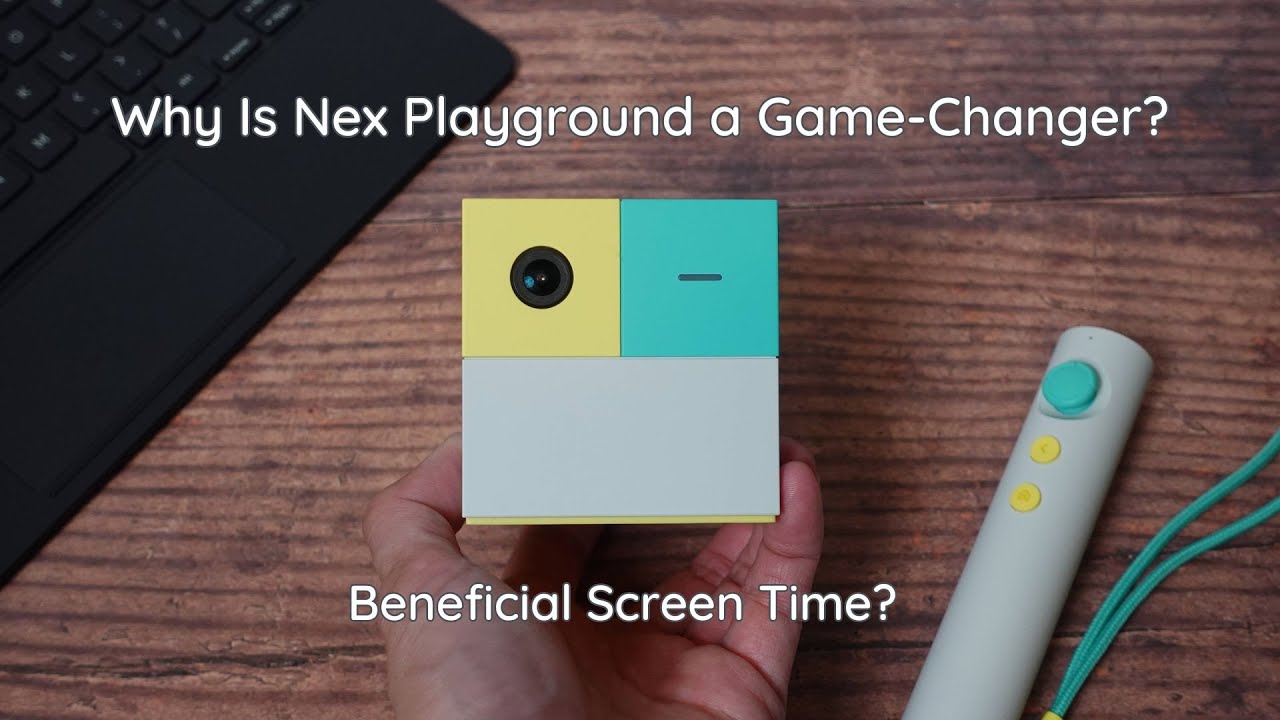
Nex Playground Review: Is Active Screen Time Worth It?
The Nex Playground aims to bridge a gap many parents face: how do you make screen time active, educational, and fun rather than passive scrolling? In our experience testing this system, it delivers on that promise by turning traditional gaming into a physical workout for the whole family. If the goal is to get kids moving while engaging with digital content, this platform presents a genuinely energetic alternative to standard console play.
What makes active screen time different from passive screen time?
The core argument here revolves around differentiating between media consumption styles.
- Passive Screen Time: This involves zoning out in front of the TV or endlessly scrolling through platforms like YouTube—the “dark side” of screen use.
- Active Screen Time: Systems like the Nex Playground require the child to physically move, boosting fitness and enhancing coordination skills while still being highly engaging.
This active element is what sets it apart from standard consumption habits.
What’s included in the Nex Playground box? (Unboxing & Setup)
When you unbox the unit, several components come into play, making the setup process quite thorough. Key items include:
- The Nex Playground main unit.
- A remote control featuring a joystick, back button, and home button, which can be secured to the wrist with an included strap.
- Necessary cables, including the HDMI cord and power adapter.
During setup, several best practices were noted:
- Use only the included power adapter for safety/functionality.
- The system requires a solid Wi-Fi connection for initial setup and game downloads.
- It is important to ensure the playing area is clear of furniture and pets, and that there are no backlights interfering with the camera view.
How does the motion tracking actually work?
The technology powering the Nex Playground is proprietary:
- It uses a single camera system coupled with computer vision and AI.
- This system tracks up to 18 nodes on your body in real time.
- Crucially, it can track up to four players simultaneously.
- For privacy assurance, the algorithms run locally on the device itself, meaning data is not stored on external servers or in the cloud.
How much does the Nex Playground cost compared to competitors?
The initial purchase price for the Nex Playground unit was noted at $199. When considering what is included—the console, four starter games (Wacka Party, Foul Goalkeeper, Starry), and the foundational technology—this appeared to be a strong starting value.
When comparing this to other systems:
- A comparable setup on a Nintendo Switch could quickly exceed $350 when factoring in multiple movement-based games ($20–$50 each).
What is the cost of keeping the gaming catalog updated?
The system utilizes an optional subscription service for access to additional content. The options noted were:
- Quarterly Play Pass: Priced at $49.
- Annual Play Pass: Priced at $89.
The annual pass, when calculated monthly, provides access to the full catalog with no ads or in-app purchases, which was highlighted as providing significant long-term value. The developers are also noted for rapid content release, with new games added seasonally.
What kind of gameplay can we expect?
The platform includes four starter games, but the breadth of options is where it shines:
- Wacka Party: Simple fun using hands as mallets to whack targets.
- Foul Goalkeeper: More than just basic catching; this involves mini-games and requires coordinating actions like special attacks to block soccer balls, giving it an RPG element.
- Starry: A music-based rhythm game with two modes (Catch and Slash) offering varied difficulty levels across many artists.
- Additional Games: The subscription adds 18 games, ranging from simple titles like Hungry Hungry Hippos to more complex ones involving strategic thinking or dedicated fitness routines via the Nex Playground fitness mode.
What are the drawbacks of the Nex Playground?
The main critique focused on the user interface controls:
- Navigation Control: The current system relies solely on the included physical remote for navigating menus and selecting games. A desire was expressed for adding gesture-based navigation controls to eliminate the need to constantly pick up and put down the controller during use. This was noted as a quality-of-life suggestion rather than a dealbreaker.
The Final Verdict
The Nex Playground is recommended for parents looking for an engaging, high-energy system that genuinely encourages physical activity alongside digital entertainment. It provides excellent value compared to other dedicated motion gaming solutions, and the commitment to constant game updates adds significant long-term appeal. While the current reliance on a physical controller for menu navigation could be improved with gesture controls, it does not detract significantly from its core function as an active family entertainment center.
Disclaimer: Some of the links below are affiliate links, meaning I may earn a small commission at no extra cost to you if you decide to purchase.
Where to buy

As an Amazon Associate I earn from qualifying purchases. Some links on this page are affiliate links — I may earn a small commission at no extra cost to you. Prices shown are accurate as of 2026-10-05 and may change.